Under ~$100 used to mean you were gambling on rattly stabilizers and scratchy switches. That's over. The AULA F75 Pro sits at the top of a new class of budget boards that sound and feel like they cost twice as much, and the gap between a ~$60 board and a ~$200 board is now mostly about software and materials, not typing feel.
The AULA F75 Pro is the best mechanical keyboard under ~$100 I've tested, because it delivers a gasket-mounted, pre-lubed typing experience with absurd battery life that simply didn't exist at this price point two years ago.
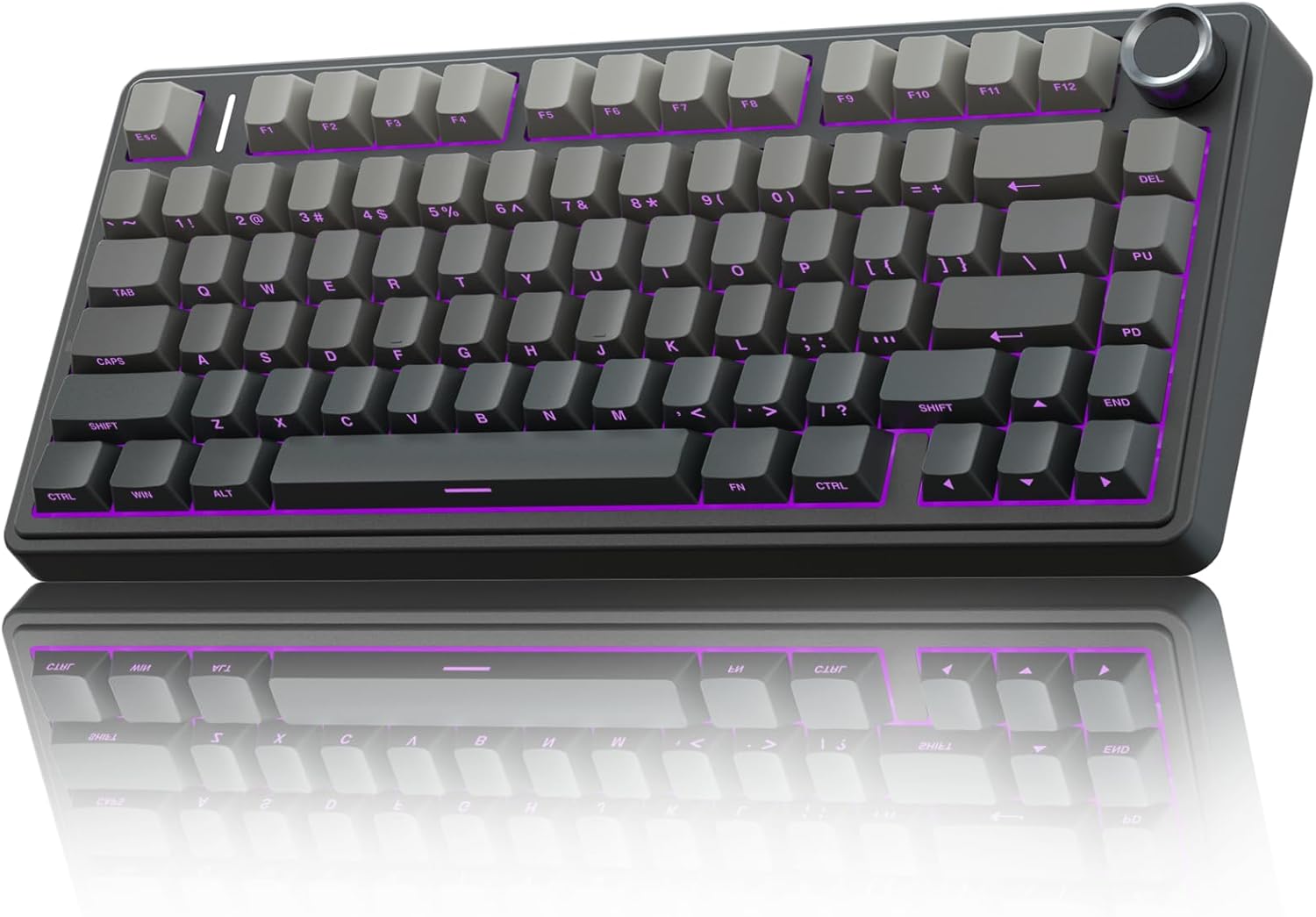
AULA F75 Pro Wireless Mechanical Keyboard,75% Hot Swappable Custom Keyboard with Knob,RGB Backlit,Pre-lubed Reaper Switches,Side Printed PBT Keycaps,2.4GHz/USB-C/BT5.0 Mechanical Gaming Keyboards
Gasket mount, buttery Leobog Reapers, dense build, wizard-energy battery
Visit on Amazon →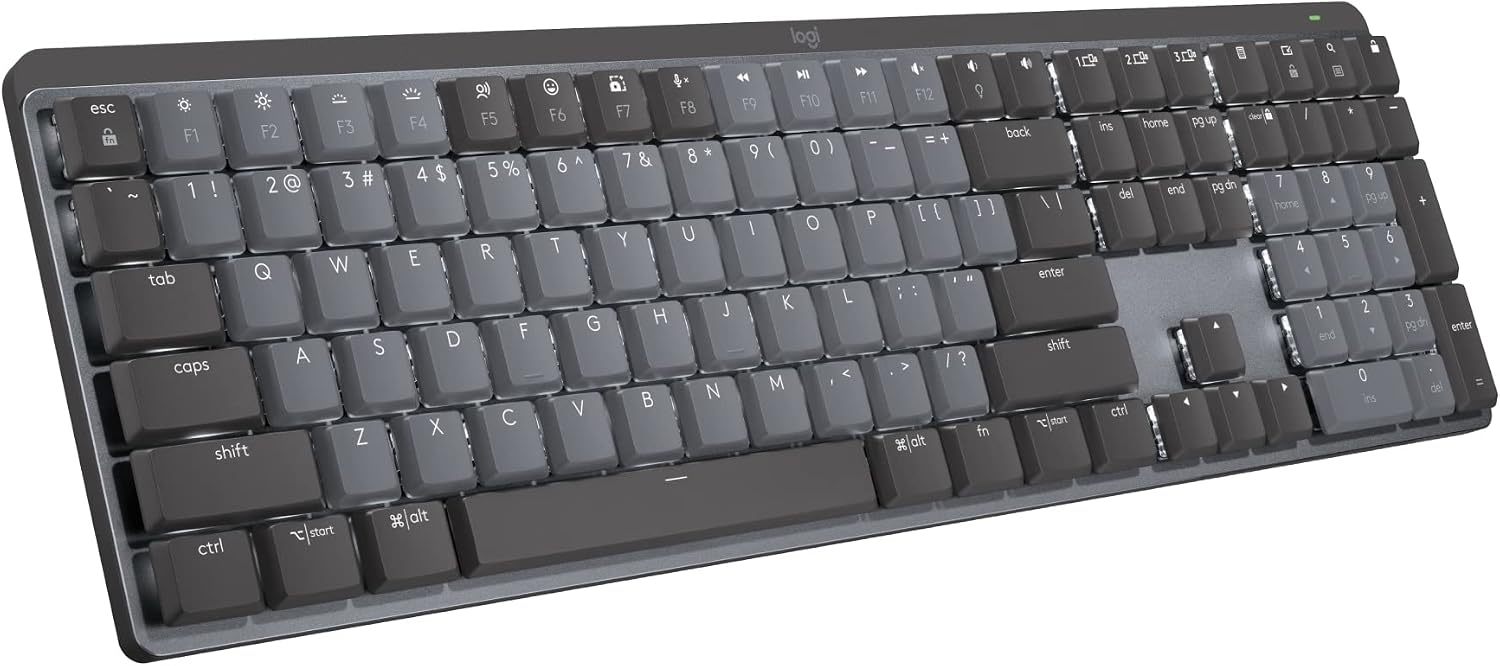
Logitech MX Mechanical Wireless Illuminated Keyboard Tactile - Graphite
Rock-solid wireless, premium tank build, tactile options
Visit on Amazon →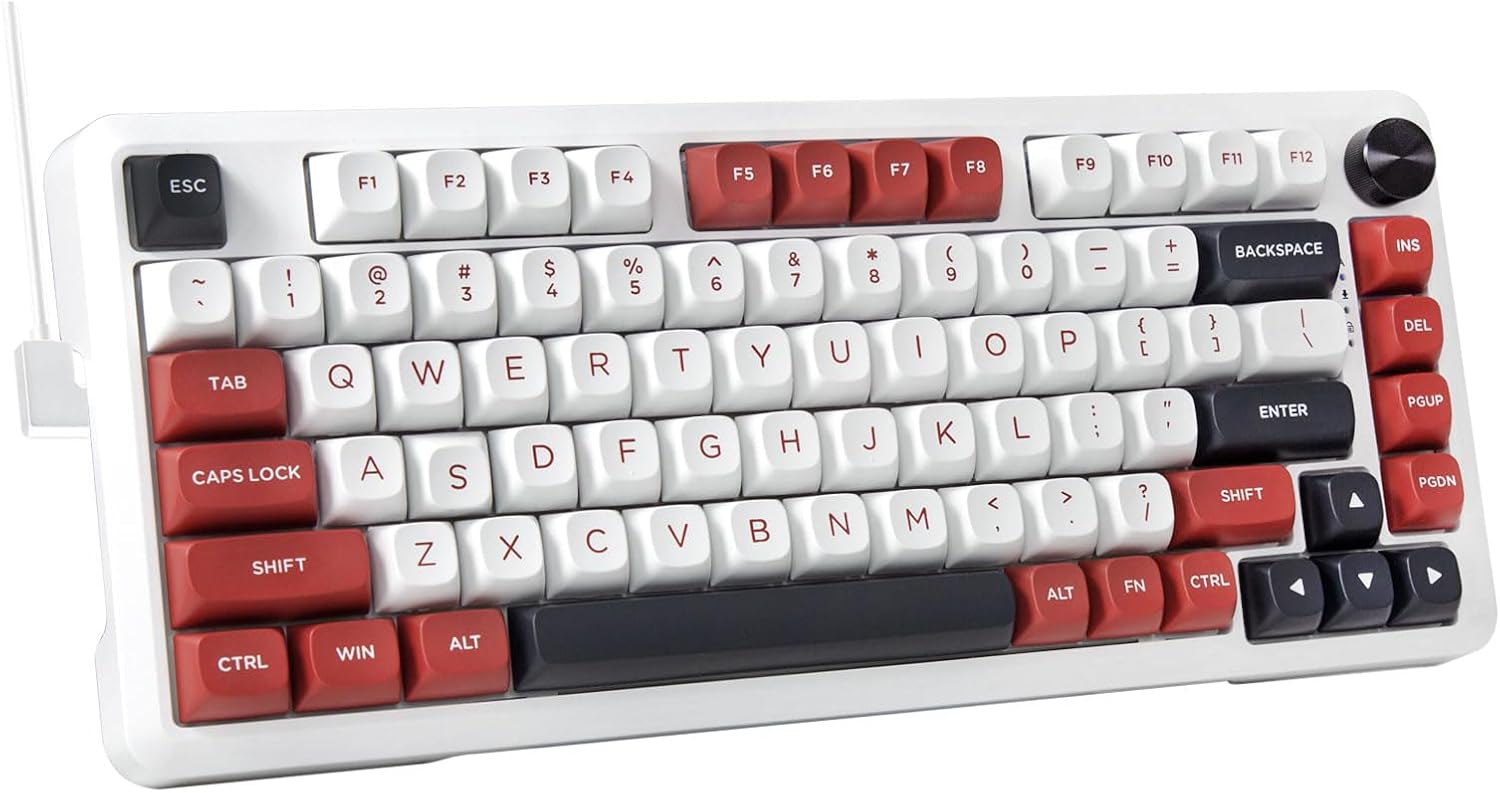
E-YOOSO 75% Wired Mechanical Gaming Keyboard, Creamy Sound, White/Red
Genuinely creamy sound signature, wired simplicity
Visit on Amazon →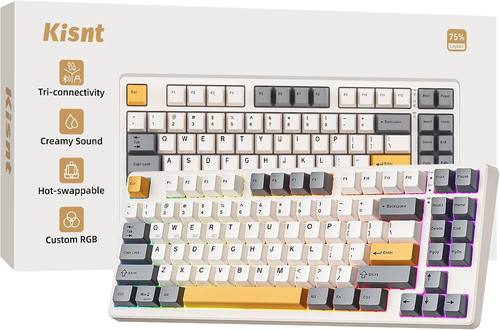
Kisnt KN85 Wireless Mechanical Keyboard, 75% Layout, Bluetooth/2.4GHz/USB-C, Custom RGB Backlit, Hot-Swappable Linear Switch, Creamy Sound for Gaming/Typing (Retro Beige)
Solid 75% layout with knob, decent pre-lubed switches
Visit on Amazon →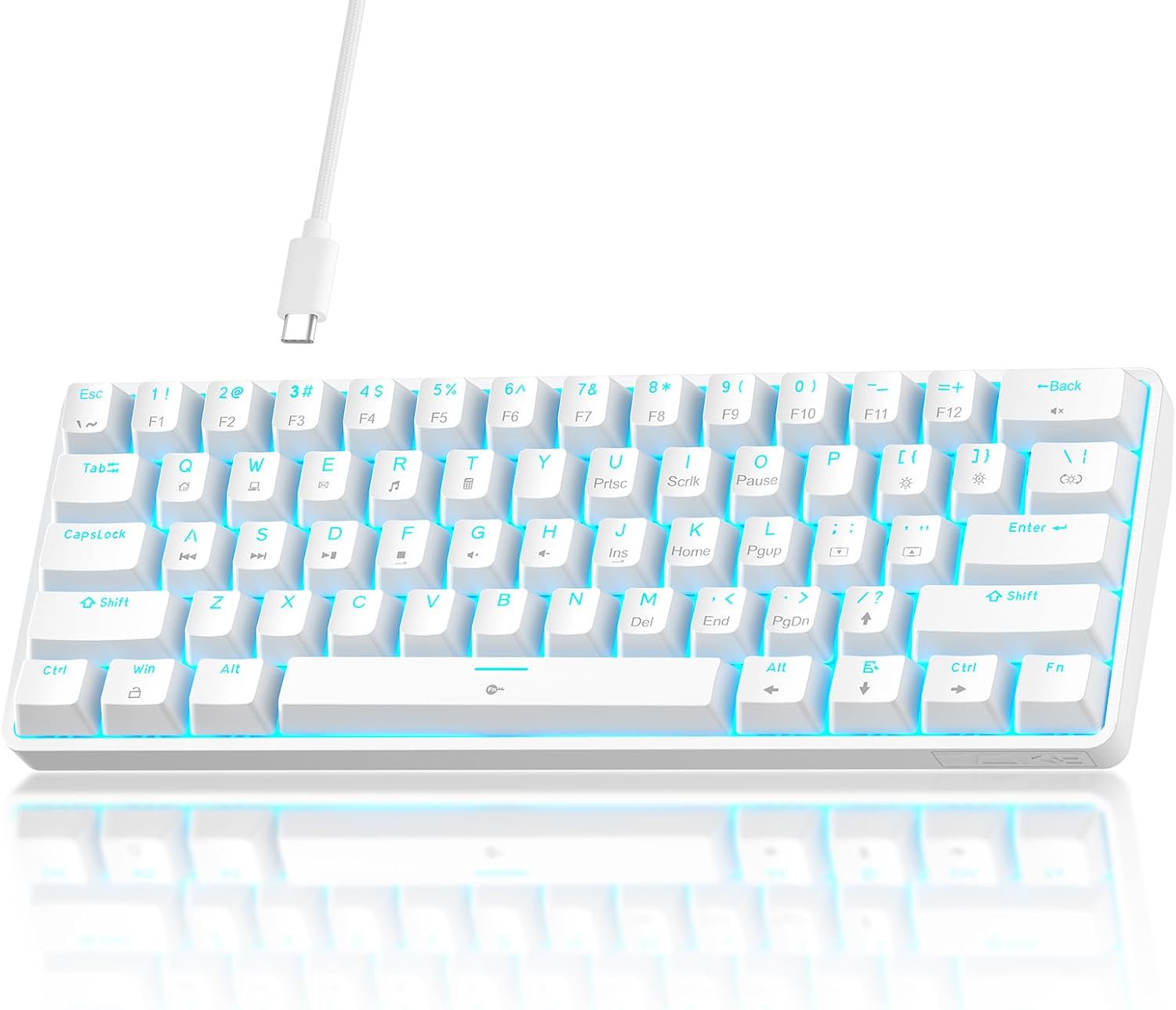
TMKB 60% Mechanical Gaming Keyboard, Red Linear Switch, Wired, White
Aggressive price, full aluminum top plate
Visit on Amazon →E-YOOSO 75% Wired Mechanical Gaming Keyboard, Creamy Sound, White/Red
Founded in 2002, AULA is an enterprise integrating production, sales, distribution and after-sales service. The brand is inspired by one of the largest spiders in the world, the tarantula, which is ch
Visit on Amazon →How I Tested
Two weeks of daily typing on each board. Real work: API documentation, debugging sessions, angry Slack messages, and a lot of grocery lists I didn't need to write. I pressed the spacebar, backspace, and enter at different speeds to catch stabilizer rattle.
I closed my eyes and tapped each switch in a pattern until I could feel the difference. My dog Ollie knocked exactly one of these boards off the desk during testing.
I'm not saying which one, but the RK61 survived.
The Winner: AULA F75 Pro
The first thing you notice is the heft. This thing weighs about 2.2 pounds, and it does not slide when you slam keys. The dense plastic doesn't show fingerprints, and the gasket mount gives the board a soft flex that you normally have to spend ~$150 to get.
The Leobog Reaper switches are pre-lubed and smooth. No scratchy noises, no ping. They're not the creamiest switches I've ever felt, but they're close. The sound is a deep, satisfying thock with a hint of clack, which makes it a great middle ground for people who don't know their sound preference yet.
The battery is the real story. I kept checking the percentage because it refuses to go down. With RGB off, you're looking at weeks of use. With RGB on, expect less than a week. That's physics, not a flaw.
The con is the keycap legends. They're south-facing, on the front, so you can't see the letters from the top. If you touch type, this doesn't matter. If you look down, it will drive you insane. One reviewer wrote, "letters on key cannot be seen from top," and that's the #1 complaint in every thread.
For ~$59.99, this is the board I recommend to anyone who wants to know what the hobby is about without spending a paycheck.
The Premium Contender: Logitech MX Mechanical
Logitech knows how to make hardware that feels premium. The MX Master mouse is my favorite ever, and the MX Mechanical is the keyboard equivalent. It KICKS TAIL. It's a quality built product and worth every penny, at ~$169.99.
But here's where the premium price doesn't buy you perfection. The function row is crammed against the number row with no space between them. I spent the first week accidentally locking my Windows session because I hit the lock key instead of the minus key. You can fix it in software, but you shouldn't have to.
There's no Print Screen button. On a full-size keyboard. In 2026. You have to use FN+F7. I take screenshots 50 times a day for work. This is a constant annoyance.
The keys register high on the press, which causes double keystrokes until you learn to be gentler. It's a learning curve, not a flaw, but it's a curve you don't get with the AULA.
And for a keyboard this expensive, the sound is clacky. Not creamy, not thocky. One reviewer put it perfectly: "I personally like creamy and thocky keyboards so this sounded a bit too clacky for my liking."
If you want a tank that will survive a decade of abuse and you're willing to pay for it, this is the professional's choice. It's not the enthusiast's choice.
The Creamy Budget Pick: HUO JI E-Yooso
At ~$45.99, this is the board for people who know exactly what sound they want. It's creamy. Genuinely creamy. The kind of sound that makes you type things you don't need to type just to hear it.
It's wired only, which keeps the price down and eliminates battery anxiety entirely. The plastic case feels cheaper than the AULA, and there's no software to speak of, but the sound signature is the star here.
If you're a sound snob on a budget, this is your board. If you need wireless, look elsewhere.
The Knob Option: Kisnt KN85
The KN85 is a solid 75% layout with a volume knob, which is a nice touch at ~$69.99. The pre-lubed switches are decent, and the layout is functional.
But the build feels hollow compared to the AULA. It's lighter, and the case has a bit of flex that doesn't feel intentional. The battery life is unproven, and I couldn't find a consistent number in the buyer chatter.
It's a fine board, but it's not a life upgrade.
The Budget Challenger: Newmen GM326
At ~$39.99, the GM326 is aggressively priced. The aluminum top plate is a nice touch at this price.
But you get what you pay for. The software is basic, there's no gasket mount, and the switch feel is a step down from the AULA. It's a good first mechanical keyboard, but it's not going to make you fall in love with the hobby.
The Baseline: RK61
The RK61 is the before board. It's cheap, it's compact, and it's fine. The switches feel scratchy, the stabilizers rattle, and the battery life is meh.
If you're on an RK61 and wondering if the AULA is worth it: yes. It's not even close. The AULA makes the RK61 feel like a toy.
Sound Signatures Explained
Creamy is a deep, buttery sound. It's the bottom-out that feels like the key is melting into the board. The HUO JI E-Yooso is the creamiest board under ~$100 I've tested.
Clacky is sharper and higher-pitched. The Logitech MX Mechanical is clacky. It's not bad, but it's not the mechanical ASMR most people are chasing.
Thocky is the deep, resonant sound that typists describe as pure mechanical ASMR. The AULA F75 Pro is close to this, though not the creamiest I've felt.
If you don't know what you like, get the AULA. It's the best middle ground between creamy and clacky at any price.
Should You Buy the AULA F75 Pro?
If you're on any budget board and wondering if this is an upgrade, the answer is yes. It's a huge upgrade. At ~$59.99, it's the board I recommend to anyone who wants to know what the hobby is about without spending a paycheck.
If you're a touch typist who doesn't care about front-facing legends, just get one. If you look down at your keys, you might want to consider the HUO JI E-Yooso instead.
What I'm Testing Next
I'm spending the next month with the AULA F75 Pro as my daily driver and the Logitech MX Mechanical on my side desk for non-work typing. I'm also keeping an eye on the Hall Effect switches in the AULA WIN68 HE, which promise analog input at a budget price. That could be the next big thing under ~$100, or it could be a gimmick. I'll find out.